a factory filled with lots of machines and boxes

大连润思 × 绿色与数字双转型的最佳伙伴

在气候风险不断升温、数字浪潮加速交织的今天,企业所面临的不仅是转型挑战,更是强化与深化企业韧性的关键战略课题。

快思 CRIS 融合 AIoT、云计算、大数据、人工智能与数字孪生等前沿技术,打造涵盖先进规划与排程(APS)、碳盘查与管理、设备监控与供应链协同等模块化系统,能够灵活应用于制造、医疗、服务、能源、物流等多元产业领域。

我们协助企业从运营优化迈向可持续治理,稳健踏上低碳、高效、智慧的转型之路。

四大核心系统,驱动绿色与数字双转型

四大核心系统,驱动绿色与数字双转型

从生产计划到碳管理,一体化赋能企业转型升级

从生产计划到碳管理,一体化赋能企业转型升级

IMPACTs APS

先进计划与排程系统

IMPACTs APS

先进计划与排程系统

IMPACTs APS

先进计划与排程系统

IMPACTs CeO

碳排放与能耗优化管理系统

IMPACTs CeO

碳排放与能耗优化管理系统

IMPACTs CeO

碳排放与能耗优化管理系统

慧报工

生产报工与现场数据采集系统

慧报工

生产报工与现场数据采集系统

慧报工

生产报工与现场数据采集系统

AI 小工具

面向业务场景的轻量化 AI 助手

AI 小工具

面向业务场景的轻量化 AI 助手

AI 小工具

面向业务场景的轻量化 AI 助手

INTEGRATION

INTEGRATION

INTEGRATION

让数据驱动效率
让低碳成为竞争力

FEATURES

FEATURES

FEATURES

行业应用分类

覆盖多行业场景,助力企业转型升级

Task & To-Do Management

Create, delegate, and prioritize tasks with ease. Use checklists, labels, and deadlines to keep everything under control.

Real-Time Team Collaboration

Comment directly on each task, easily tag your team members, and share files without leaving the app.

Timeline & Gantt Chart View

Monitor project progress with dynamic timeline visualization. See who's working on what, and when it's due.

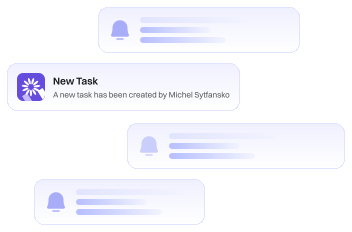
Smart Notifications

Real-time notifications for task updates, approaching deadlines, or comments from team members.
Progress & Performance Analytics

View team performance, workload, and project status with an informative, easy-to-read analytics dashboard.

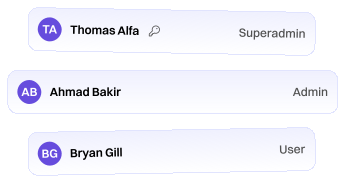
Role & Permission Control

Set permissions for visibility & editing to ensure that security protocols align seamlessly with your team structure.
WHY CHOOSE CREST

WHY CHOOSE CREST

WHY CHOOSE CREST

Because your projects deserve more than just a To-Do List

Our platform goes beyond basic to-do lists to give you full visibility and control. Manage deadlines, align your team, and deliver meaningful results.

All-in-One Workspace

Manage tasks, documents, timelines, and teams in one platform.

All-in-One Workspace

Manage tasks, documents, timelines, and teams in one platform.

All-in-One Workspace

Manage tasks, documents, timelines, and teams in one platform.

Real-Time Progress Tracking

Monitor the progress of each project visually with interactive Gantt charts and timelines.

Real-Time Progress Tracking

Monitor the progress of each project visually with interactive Gantt charts and timelines.

Real-Time Progress Tracking

Monitor the progress of each project visually with interactive Gantt charts and timelines.

Insights & Reports

Automatic reports on project performance & team productivity for faster decision making.

Insights & Reports

Automatic reports on project performance & team productivity for faster decision making.

Insights & Reports

Automatic reports on project performance & team productivity for faster decision making.

10k+

Happy Users

20k+

Total Downloads

4.9

User Rating

Newsletter

Stay Inspired and Informed: Get the Latest Design Trends, Expert Tips, and Exclusive Updates Delivered Straight to Your Inbox!

Newsletter

Stay Inspired and Informed: Get the Latest Design Trends, Expert Tips, and Exclusive Updates Delivered Straight to Your Inbox!

Newsletter

Stay Inspired and Informed: Get the Latest Design Trends, Expert Tips, and Exclusive Updates Delivered Straight to Your Inbox!

How do I draw Frames?

To draw a Frame, click on Layout in the Toolbar, then select Frame. Now, you can click and drag anywhere on the Canvas.

How do I add images?

To add an image, select any Frame, and either double-click on it, or go to the Fill property. In the Fill property, switch to the image icon. Here, you can upload images.

How do I add videos?

To add a video to your site, click the “Insert” button and navigate to the “Media” section. Then, drag and drop a video component onto the Canvas.

How do I draw Frames?

To draw a Frame, click on Layout in the Toolbar, then select Frame. Now, you can click and drag anywhere on the Canvas.

How do I add images?

To add an image, select any Frame, and either double-click on it, or go to the Fill property. In the Fill property, switch to the image icon. Here, you can upload images.

How do I add videos?

To add a video to your site, click the “Insert” button and navigate to the “Media” section. Then, drag and drop a video component onto the Canvas.

How do I draw Frames?

To draw a Frame, click on Layout in the Toolbar, then select Frame. Now, you can click and drag anywhere on the Canvas.

How do I add images?

To add an image, select any Frame, and either double-click on it, or go to the Fill property. In the Fill property, switch to the image icon. Here, you can upload images.

How do I add videos?

To add a video to your site, click the “Insert” button and navigate to the “Media” section. Then, drag and drop a video component onto the Canvas.

Subtitle

Link

Link

Link

Subtitle

Link

Link

Link

Subtitle

Link

Link

Link